Website Design, Hosting & Support — All Included. Get Your Free Consultation Today.

10 Smart, Simple Web Design Tips to Strengthen Your Digital Presence
A practical guide to simple, high‑impact web design improvements that help small businesses look more professional online, create a smoother user experience, and turn more visitors into customers.
Maglietto Digital Solutions
5/8/20242 min read

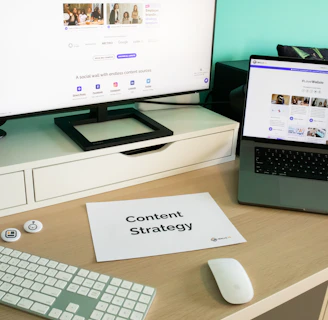
A great website isn’t just about looking good — it’s about guiding visitors toward taking action. Whether that action is booking an appointment, requesting a quote, or making a purchase, your website should work like a 24/7 salesperson. The good news? You don’t need a massive redesign to improve conversions. Small, practical changes can make a big impact.
Here are 10 actionable web design tips every small business can use to boost conversions and create a better online experience.
1. Keep Your Design Clean and Uncluttered
Visitors decide within seconds whether they trust your website. A clean layout with plenty of white space helps them focus on what matters. Avoid clutter, busy backgrounds, and too many competing elements. Simplicity builds credibility — and credibility drives conversions.
2. Use Clear, Compelling Calls‑to‑Action (CTAs)
Your CTA should be impossible to miss and easy to understand. Examples:
“Book a Free Consultation”
“Get a Quote”
“Schedule a Call”
Use action‑oriented language and place CTAs in multiple strategic locations, including the hero section, service pages, and footer.
3. Make Your Website Mobile‑Friendly
More than half of all website traffic comes from mobile devices. If your site isn’t optimized for mobile, you’re losing leads. A mobile‑friendly site should:
Load quickly
Have easy‑to‑tap buttons
Display content clearly on small screens
Google also prioritizes mobile‑friendly sites in search results.
4. Improve Your Page Speed
Slow websites kill conversions. A delay of even one second can significantly increase bounce rates. Boost your speed by:
Compressing images
Using modern hosting (SSD servers)
Reducing unnecessary scripts
Enabling caching
Fast sites feel more professional and trustworthy.
5. Use High‑Quality Images and Branding
Your visuals should reflect the quality of your business. Invest in:
Professional photography
Clean graphics
Consistent branding
A modern logo
Strong visuals help visitors instantly understand who you are and what you offer.
6. Make Navigation Simple and Intuitive
If visitors can’t find what they need, they won’t stay long. Your navigation should be:
Clear
Minimal
Organized by priority
Include only the most important pages in your main menu and use dropdowns sparingly.
7. Highlight Social Proof
People trust businesses that others trust. Add:
Testimonials
Google reviews
Case studies
Before‑and‑after examples
Client logos
Social proof builds confidence and encourages visitors to take action.
8. Use Consistent, Easy‑to‑Read Typography
Fonts should be clean, modern, and readable on all devices. Stick to:
1–2 font families
Clear hierarchy (H1, H2, body text)
Adequate spacing
Good typography improves readability and keeps visitors engaged longer.
9. Optimize for SEO
A beautiful website won’t convert if no one can find it. SEO essentials include:
Keyword‑optimized content
Fast load times
Mobile responsiveness
Meta titles and descriptions
Alt text for images
Local SEO for small businesses
SEO brings in high‑intent visitors who are already looking for what you offer.
10. Make It Easy for Visitors to Contact You
Your contact information should be visible and accessible everywhere. Include:
A contact button in the header
A simple contact form
Click‑to‑call phone numbers
A clear footer with all details
The easier it is to reach you, the more leads you’ll convert.
Final Thoughts
Small businesses don’t need complicated websites — they need effective ones. By applying these practical web design tips, you’ll create a site that not only looks great but also converts visitors into customers.

